



Two inputs, metal casing, MIDI sockets and a price that undercuts most of its rivals: the Arturia MiniFuse 2 looks like the obvious first interface for a bedroom studio. For plenty of people, it is. But the MiniFuse 2 makes a few deliberate compromises to hit its price, and whether those matter depends entirely on how you record. If you mostly track one thing at a time and mix on headphones, you will barely notice them. If you plan to grow into a four-piece band setup, you will notice them quickly. Here is what the interface does well, where it gets awkward, and who should spend their money elsewhere.
What you actually get
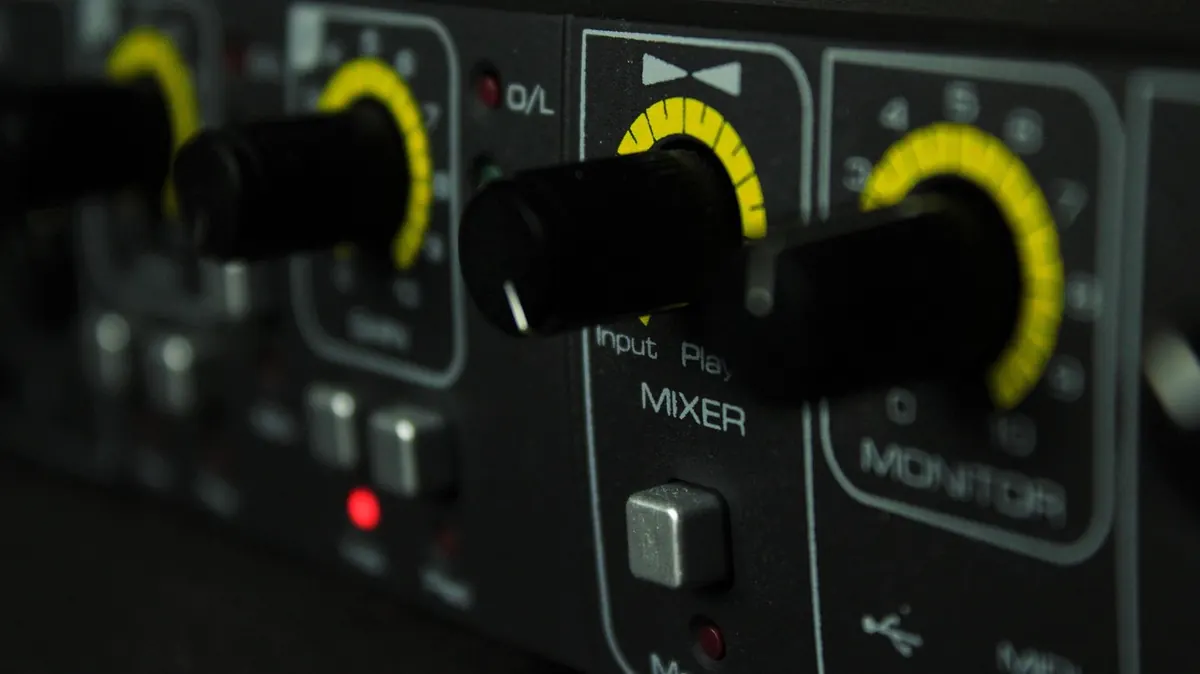
The front panel is refreshingly plain. Two combo inputs accept either XLR or quarter-inch jacks, the first has an instrument switch for plugging a guitar or bass straight in, and phantom power is switchable for condenser mics. There is a gain knob and a level indicator per channel, a headphone output with its own volume control, and a direct monitoring blend.
Round the back you will find two balanced TRS outputs for your monitors, five-pin MIDI in and out, a USB-C socket to your computer and a USB-A port that acts as a small hub. That last detail is smarter than it sounds. Plug a MIDI keyboard or an iLok dongle into the back and you keep your laptop's ports free. MIDI on an interface at this price is rare, and if you use a hardware synth or a drum machine, it is a genuine reason to pick this over a cheaper Focusrite or Behringer box.
It is bus powered, so one cable does everything. No wall wart, no extra socket needed under the desk. The chassis feels solid for the money, which matters if it ends up in a rucksack.
How the preamps hold up
Clean and uneventful is the honest summary. A dynamic mic like an SM58 or a mid-range condenser will reach a healthy recording level without the gain knob pinned, and the noise floor stays low enough that you will not hear hiss creeping in on quiet acoustic parts. There is no transformer colour, no saturation switch, no DSP. That is not a criticism at this price point; it just means the character of your recordings comes from your mic, your room and your performance.
For a typical bedroom setup, that is exactly what you want. Treat your recording space reasonably well, get the mic close, and the MiniFuse 2 will not be the weak link. If you are chasing a thick, coloured vocal sound, you will get there faster with a decent dynamic mic and careful mic placement than by swapping interfaces.
Latency, direct monitoring and loopback
The direct monitoring blend knob lets you hear your live input mixed with playback from your DAW, with no delay in your ears. It is the single most useful control on the unit. Leave it fully on the input side while tracking vocals, then wind it back when you are mixing.
Loopback is the feature that quietly makes this interface more versatile than its price suggests. In the control software you can route playback from your computer into a recording channel, so anything you hear can be captured. That covers recording a Skype or Discord call, capturing system audio for a video, or streaming a jam with your DAW output and your voice at the same time. It saves stringing together virtual audio cables.
Setup, drivers and the bundled software
Getting going takes about ten minutes. In order:
- Install Arturia's control centre software before you plug the unit in, particularly on Windows.
- Connect with the supplied USB-C cable and check the interface appears with its own inputs and outputs.
- Open your DAW, select the MiniFuse as your audio device, and set the buffer to something small like 128 samples for tracking.
- Assign the two outputs to your monitors and check the balance with a familiar track.
- Set your DAW's recording input to channel one or two, and check the metering before you hit record.
- Save this as your default project template so you never repeat the process.
The software bundle is generous. You typically get a lite version of a major DAW, Arturia's Analog Lab Intro with a broad selection of vintage synth sounds, a few of their effects plug-ins, and a guitar amp simulation. It is enough to make your first recordings without buying anything else. Bundle contents change, so check what is included at the time you buy rather than trusting an older review.
Where it gets frustrating
- Only two inputs. Fine for solo work, tight the moment a second person with a mic shows up alongside your guitar.
- No pads. Loud sources through a sensitive condenser can clip before the preamp is doing anything interesting.
- One headphone output. You cannot give a collaborator their own mix.
- No digital expansion. There is no ADAT port, so you cannot bolt on more channels later.
- Phantom power is global. If you want a condenser and a ribbon mic at the same time, you have a problem.
None of these are faults exactly; they are choices that keep the price down. But they are the reasons someone outgrows this box, usually within a year or two of buying it.
Who it suits
Singer-songwriters, producers working in the box, podcasters, and anyone recording one instrument at a time. The MIDI ports and loopback give it a longer shelf life than a bare two-input interface, and the build quality means it survives being moved around.
Look elsewhere if you regularly record drums, if you need four or more mic preamps, or if you want hardware DSP for monitoring reverb while tracking. You will spend more, but you will spend it once. Second-hand interfaces with more channels are often better value in that situation, provided you check the drivers are still supported.
Verdict
The MiniFuse 2 is worth it for the vast majority of bedroom producers. It sounds clean, it is built well, it has MIDI and loopback where most rivals have neither, and the software bundle gets you recording on day one.
Before buying, do one calculation: count how many things you need to record at the same time. If the answer is one or two, buy it and put the money you save towards a better microphone or a decent pair of headphones, both of which will change your recordings far more than an interface upgrade. If the answer is three or more, save a little longer and buy something with more inputs, because outgrowing an interface within a year is the most expensive mistake in home studio shopping.
Photo: slightly_different / Pixabay